Bochum University of Applied Sciences uses eduroam, therefore if you are connected to eduroam at your home university, you will be as a rule automatically connected.
In other cases you can use the guest access:
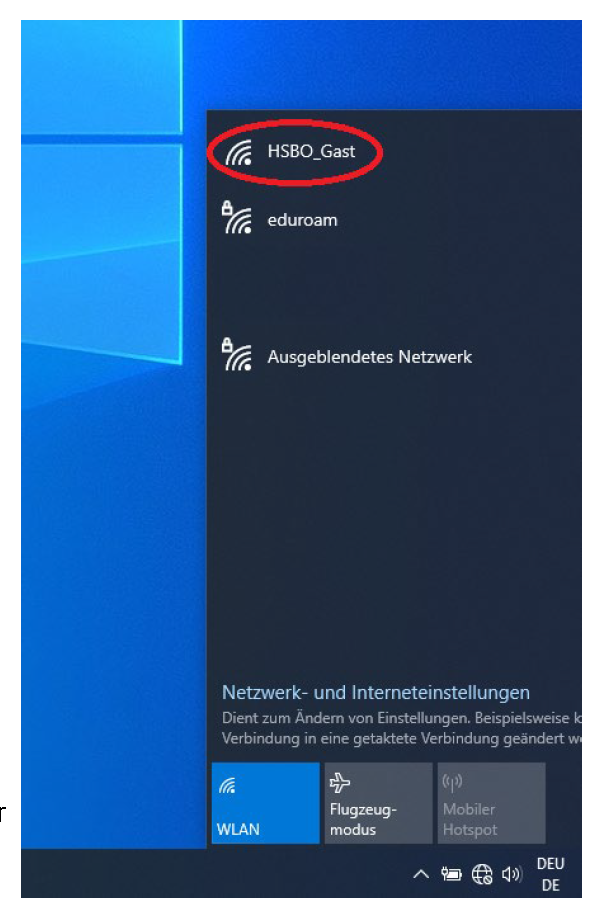
Click on the network icon on your laptop / go to the list of available networks on you smartphone.
Select the wireless network “HSBO_Gast” and klick on “Connect”.
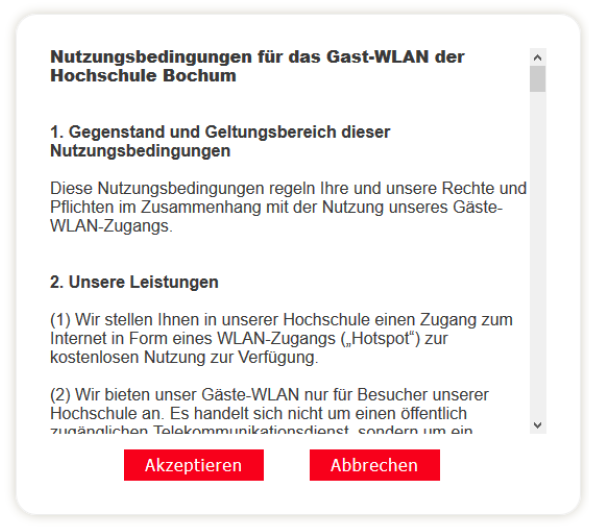
Your preferred internet browser will then open automatically. There you will see the terms and conditions. Please read and accept the terms and conditions to use the service ("Akzeptieren").
You will now have access to the Bochum University of Applied Sciences guest Wi-Fi for 24 hours.
Each participant will receive lunch vouchers for Tuesday and Wednesday (EUR 10 per day). The vouchers will be handed out during the first on-site event. To redeem your voucher, simply present it to the staff member at the checkout.
If you have any additional expenses, you are welcome to pay by regular bank card. Please note that cash payments are not accepted.
We use cookies on our website for analysis and marketing purposes. You can find out more about how we process personal data and how you can contact us in our privacy policy. Here you can see exactly which cookies we use and decide which ones to accept.